

This post contains affiliate links. Please click here to see our privacy policy.
Recently, I posted about how I set up and run direct instruction work centers. You can read the post here if you missed it. Today I wanted to share about how my teaching assistants and I take data during the work centers.
My teaching assistants are each assigned a center and have a big storage container to keep all of the center materials and data sheets organized. Here is a peek inside one of the storage containers:
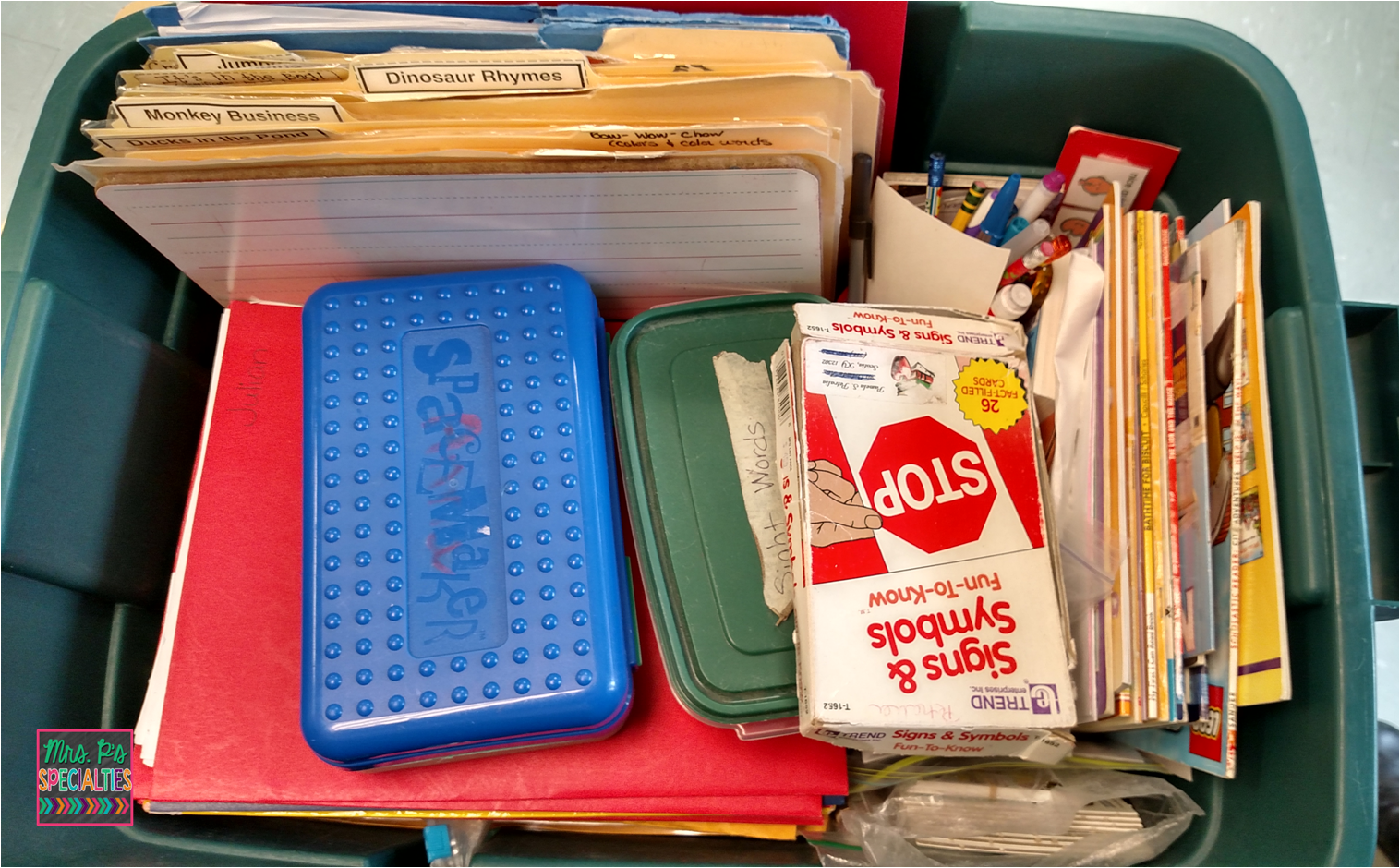
There is a folder for each student with the data sheets specific to the student. Each bin has a different color of folders. You could also color code the students with these 2 pocket folders. Below is a peek inside a student folder.
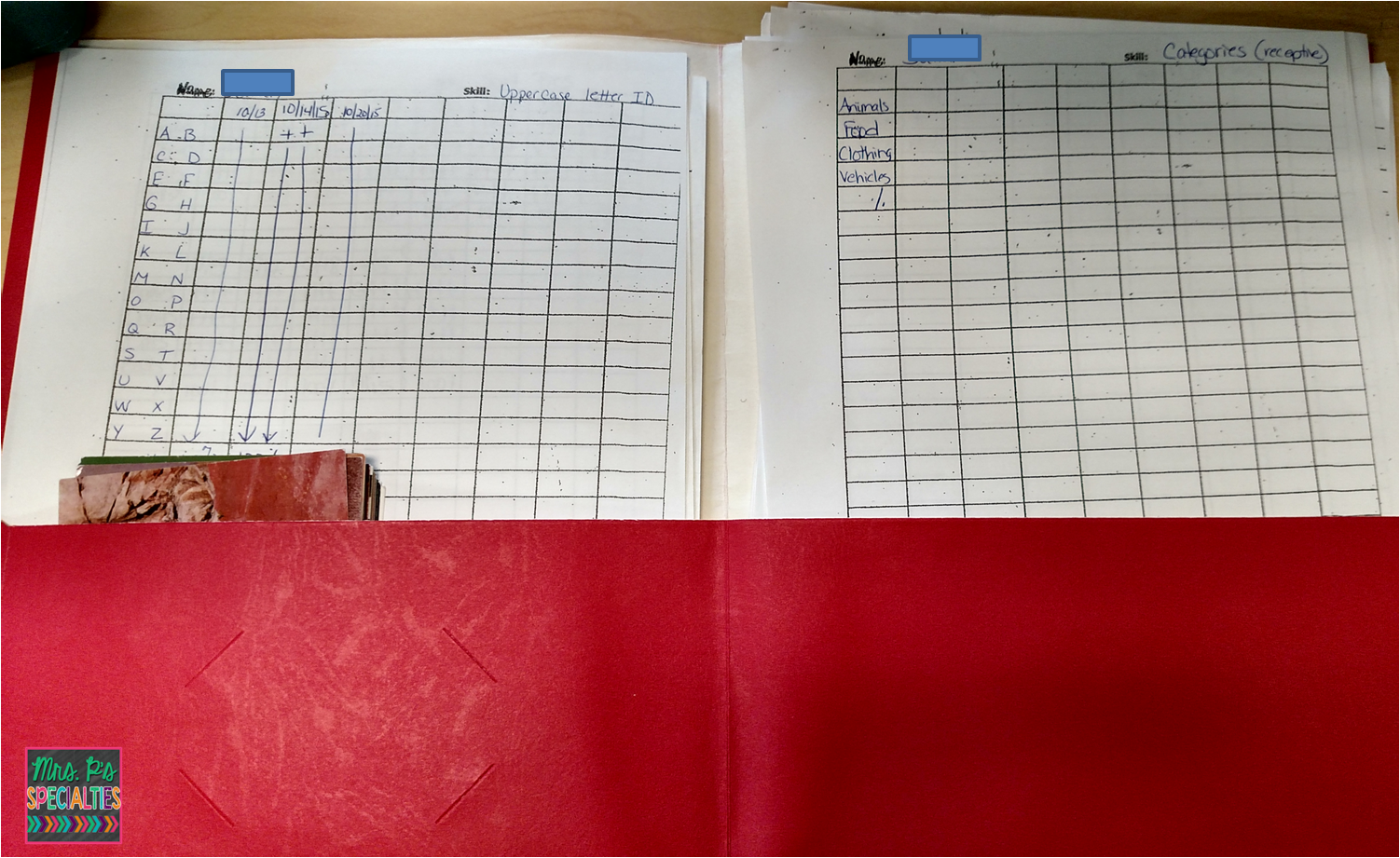
My students need constant repetition of skills or they lose the skill. To make sure that students get consistent review of mastered skills, we assign one day a week to practice mastered skills that are currently on maintenance programming. All of the data sheets of mastered skills are kept on the left inside pocket of the folder. For us, Monday is the day we focus on maintenance programming. After 2 days off, it is a good way to start the week on a positive note.
An example of a mastered data sheet:

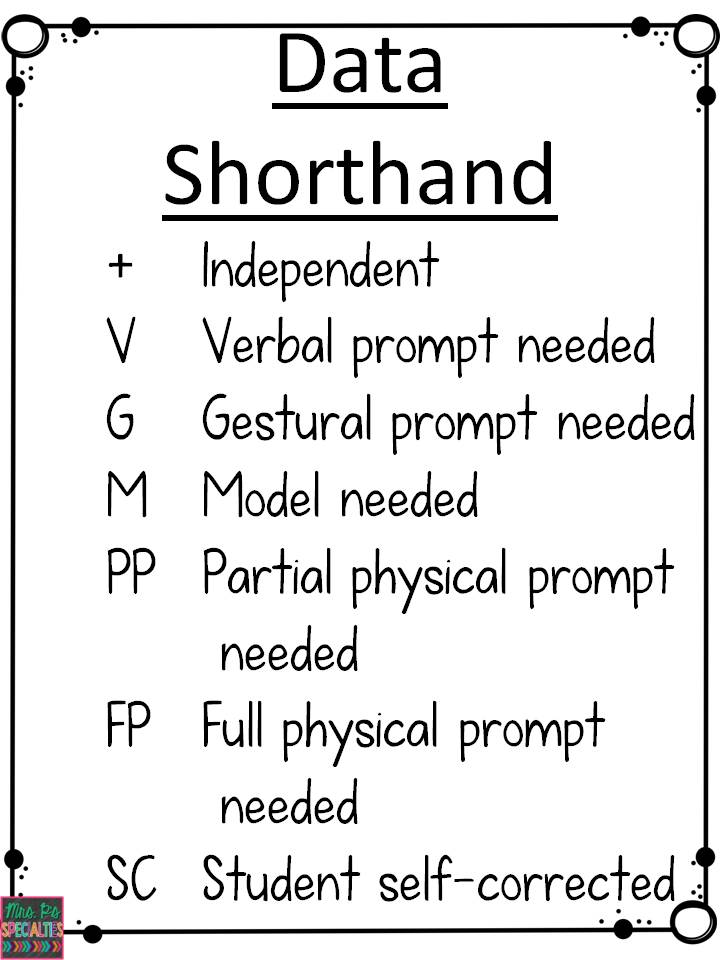
The skill is increased or moved to maintenance after the student achieves 100% accuracy on 3 consecutive sessions. We use the prompting hierarchy and system that Dr. Andrew Bondy, from The Pyramid Approach To Autism, recommends. I like it because I want all the info I can get. Some of my students make very slow progress. Being able to look at the different prompts that the student needed helps me determine if a student is making any progress at all. For example, if a student needed a full physical prompt when the skill was introduced and now only needs a gestural he is making progress!
Here is a list of the symbols we use in our data. We have it posted in the classroom.
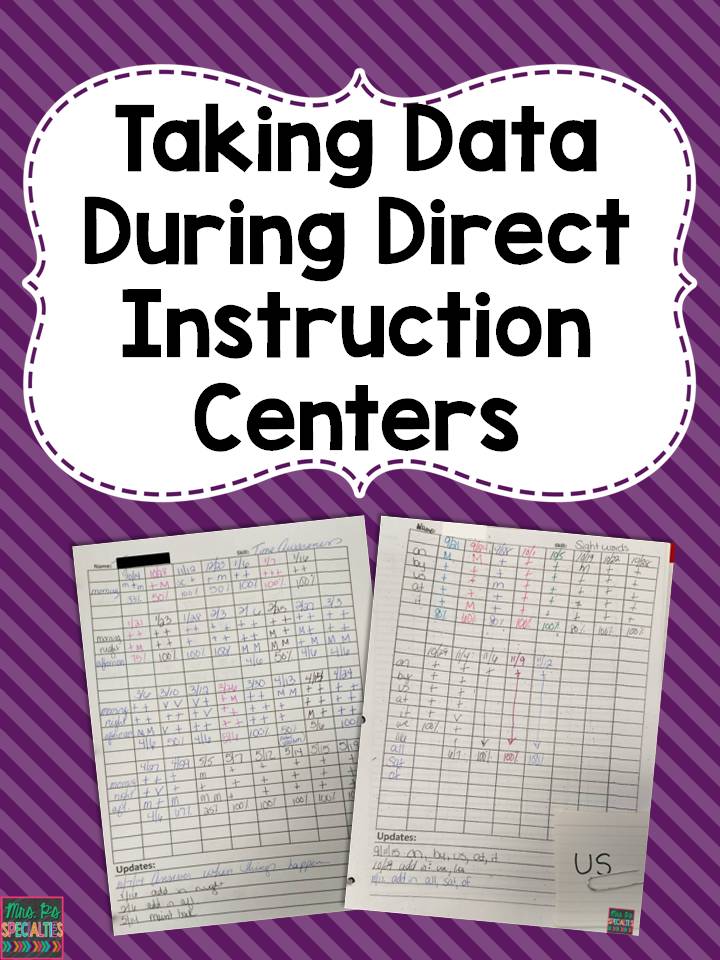
I keep all of my data sheets in a binder instead of folders. Each student has a section in the binder. I have a set of 3 drawers next to my work center table with all of the materials I need. I also paperclip sight words or other materials to data sheets as needed.


As students master their current skills, we write the updates on the bottom sheet. This is another way to figure out the rate of learning.
Grab a free copy of the data sheet I use by clicking HERE.
I would love to hear how you collect data! Share in the comment section so we can all learn.
If you liked these task ideas, be sure and pin it for your teacher colleagues! You can find more ideas on Facebook, Pinterest, Teachers Pay Teachers and Instagram.


